IP Camera Trends for Professional Video Surveillance
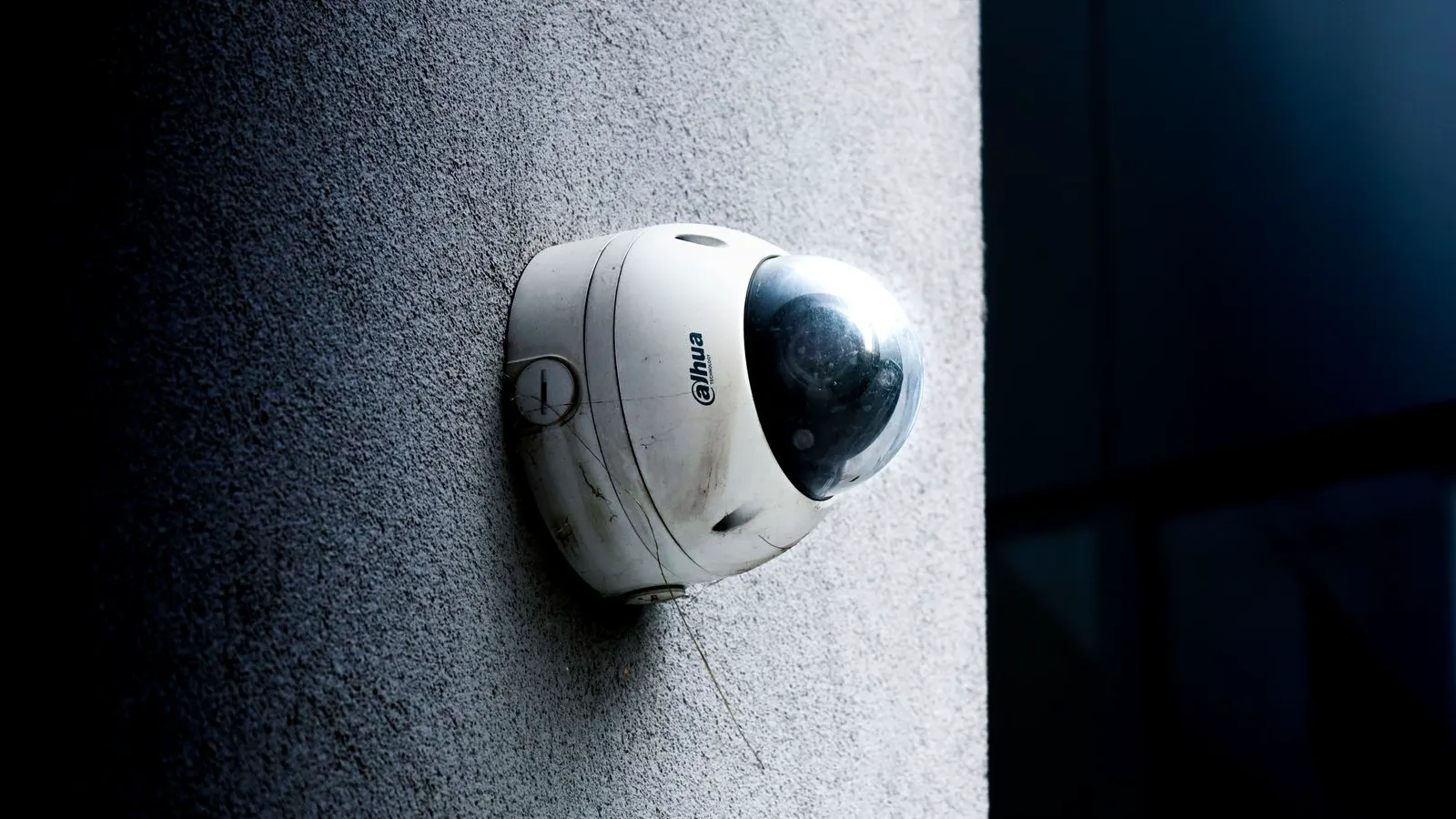
Professional video surveillance is shifting toward smarter analytics, stricter privacy controls, and more secure networks. Buyers should plan for AI integration, edge processing, and improved bandwidth efficiency while reviewing access controls and data retention policies to meet evolving operational and legal requirements.
- AI analytics are moving from optional features to core planning requirements for professional video surveillance.
- Edge processing reduces bandwidth strain but changes how storage and maintenance work in the field.
- Privacy regulations and data retention rules are forcing tighter access controls on camera feeds.
- Network segmentation and device identity management are now baseline infrastructure tasks, not afterthoughts.
- Buyers should evaluate camera lifecycle costs, not just initial hardware prices.
1. What is driving the current shift in IP camera procurement?
Professional buyers no longer treat video surveillance as a fixed hardware purchase. The decision now centers on how cameras integrate into broader security operations, network architecture, and compliance obligations.
Three forces are reshaping this. First, analytics demand is rising. Facilities and enterprise teams want motion detection, intrusion alerts, and object classification without relying on human review of raw video. Second, data protection expectations have tightened. Cameras capture faces, vehicles, and behavior. That data is subject to privacy laws and internal governance rules. Third, network complexity is growing. Adding hundreds of IP cameras to a site requires careful bandwidth planning, access control, and firmware management.
The result is a procurement process that looks more like an infrastructure project. Buyers are comparing vendors on firmware update cadence, API access, and support for local processing. They are also reviewing data retention policies and how easily footage can be isolated or deleted after a legal hold expires.
2. How is artificial intelligence changing the role of the camera?
AI analytics are no longer a premium add-on. Many mid-range IP cameras now ship with built-in processing for people, vehicles, and packages. The practical effect is that the camera itself becomes a sensor that sends alerts, not just a stream.
This changes the operator’s workflow. A security team no longer watches a wall of feeds for every event. Instead, they triage alerts based on confidence score, location, and time of day. A package left at a loading dock triggers a different response than a person lingering near a server room.
Buyers should evaluate how well a camera handles false positives. Rain, shadows, and swaying foliage can trigger motion events. Vendors that offer adjustable sensitivity per zone and per camera type reduce operator fatigue. They should also check whether the analytics engine runs locally or in the cloud. Local processing keeps latency low and reduces dependency on internet connectivity. Cloud analytics may offer easier model updates but introduce data transmission concerns.
A practical preparation step is to define the top three detection use cases for each site. If the priority is perimeter intrusion, focus on people and vehicles. If the goal is package theft prevention, prioritize object detection and lingering behavior. Mapping use cases to hardware capabilities prevents overbuying or buying the wrong feature set.
3. Why is edge processing gaining ground in professional deployments?
Edge processing means the camera handles basic intelligence on its own. It compresses relevant events, filters noise, and sends only important data to the network. This reduces the bandwidth that must travel to the NVR or cloud server.
The benefit is clear for sites with limited uplink capacity or large camera counts. A retail store with forty cameras and a modest internet connection can manage alerts without saturating the line. The camera handles the heavy lifting. The network carries the signal.
There are trade-offs. Edge processing limits the flexibility of post-event analysis. If a new rule is needed, the camera firmware may need an update. If the model changes, the site may need to redeploy or reconfigure. Buyers should ask how often firmware updates are released and whether they can be rolled out quietly without downtime.
Edge processing also changes maintenance. A site technician must understand not only optics and mounting but also processing units. A camera that fails its analytics engine may still record video. That distinction matters when writing service level agreements or evaluating warranty terms.
4. What privacy and data governance issues should buyers plan for?
Video surveillance data is personal data in many jurisdictions. Faces, license plates, and movement patterns can be linked to individuals. Buyers must treat footage like any other sensitive record.
Three governance areas deserve attention. First, data retention. How long is footage kept? Is it stored on the camera, the NVR, or in the cloud? Can it be deleted after a set period without manual intervention? Second, access control. Who can view live feeds? Who can export clips? Can access be logged and reviewed? Third, consent and notice. Are signs posted? Are employees informed that cameras are active?
The practical preparation step is to map data flows before selecting hardware. Identify where footage is recorded, where it is transmitted, and where it is archived. Then align camera features with those flows. A camera that supports local storage and encrypted transmission is easier to govern than one that streams everything to a third-party cloud without clear controls.
Buyers should also review how vendors handle data breaches and firmware vulnerabilities. A camera that cannot be patched quickly becomes a liability. Ask for the vendor’s security response process and how often they publish advisories.
5. How should network planning adapt to growing bandwidth demand?
Bandwidth is the quiet constraint in IP camera networks. A single high-resolution camera can consume significant throughput, especially when recording at high frame rates or when multiple cameras stream simultaneously. Adding analytics and higher resolution increases the load.
A common mistake is to size the network based on a single camera’s peak demand. Real deployments require a different approach. Model the worst-case scenario where multiple cameras record at full quality while the operator views live feeds. Then add headroom for growth.
Network segmentation is another practical step. Keep video traffic on a dedicated VLAN or subnet. This isolates camera streams from office traffic and reduces the impact of network congestion. It also makes access control easier. A compromised office device cannot easily reach camera feeds.
Buyers should also consider Quality of Service settings. Prioritize live video over bulk backups. Ensure that NVR updates and firmware pushes do not starve the cameras of bandwidth during peak hours. The goal is a stable network where a camera failure is visible and manageable, not a cascade of dropped frames.
6. What should buyers do about security and access control?
IP cameras are network endpoints. They run firmware, store credentials, and transmit data. A weakly secured camera is an open door into the network.
Buyers should enforce strict password policies. Default credentials must be changed at installation. Credentials should be stored in a password manager, not in a spreadsheet. Network access should be limited. Cameras should not be reachable from the internet. If remote access is needed, use a VPN or a managed access gateway.
Firmware management is a continuous task. Vendors release updates to fix bugs and patch vulnerabilities. Buyers should establish a process for testing updates in a staging area before rolling them out to production. This prevents a bad update from taking down a row of cameras during a critical event.
Device identity matters too. Some networks use certificate-based authentication or MAC address whitelisting. This prevents rogue devices from joining the camera VLAN. Buyers should ask their IT team to review camera network access regularly. A quarterly audit helps catch misconfigurations before they become incidents.
7. How does lifecycle planning affect total cost of ownership?
The initial cost of IP cameras is only part of the equation. Over a typical five to seven year period, maintenance, power, storage, and firmware updates add up. Buyers who plan for lifecycle costs avoid surprise expenses.
Storage is a major factor. If footage retention increases, storage capacity must grow. If cameras move from local NVRs to cloud storage, subscription costs enter the budget. Power consumption matters for large deployments. A site with hundreds of cameras needs reliable power distribution and, in some cases, backup power.
Firmware support is another lifecycle item. Vendors may stop supporting older models after a certain period. That leaves the site with unpatched devices. Buyers should check the vendor’s support timeline before purchase. A camera that is cheap today but unsupported in three years may cost more in security risk and replacement labor.
A simple lifecycle table helps. It lists the asset, expected service life, support end date, and replacement trigger. This document guides budgeting and procurement. It also gives the security team a clear plan when a camera fails or when a privacy rule changes.
8. What checklist should buyers use before purchase?
Before selecting IP cameras, buyers should review a short checklist. It reduces the chance of buying hardware that does not fit the site’s operational and legal needs.
- Define the top three analytics use cases for each location.
- Map data flows and retention requirements for each camera.
- Confirm network bandwidth headroom for the worst-case scenario.
- Review the vendor’s firmware support timeline and security response process.
- Verify that the camera supports local processing and encrypted transmission.
- Check whether access control and logging are built into the camera or the NVR.
- Plan for power and storage expansion over the expected service life.
This checklist shifts the conversation from hardware specs to operational fit. It ensures that the camera can handle the intended use, meet governance rules, and integrate into the existing network.
9. What does the next stage of IP camera trends look like?
The next phase of IP camera development will likely focus on interoperability and resilience. Vendors are moving toward open standards for communication and storage. This makes it easier to mix cameras from different manufacturers in a single site. It also reduces lock-in.
Resilience is another focus. Cameras are being designed to work during network outages. Local storage buffers footage until connectivity returns. This is useful for sites with unstable internet or for critical facilities where video continuity matters.
Buyers should watch for improvements in power efficiency. Lower power consumption reduces heat and energy costs. It also extends the life of backup power systems. As sites add more cameras, energy management becomes a real planning item.
The practical takeaway is to stay flexible. The technology is moving faster than procurement cycles. Buyers who design for change, not just for today’s requirements, will be better positioned. They will be able to update analytics, adjust retention, and integrate new devices without tearing out infrastructure.
10. How can buyers prepare for these shifts?
Preparation starts with a clear understanding of the site’s current state. Take inventory of existing cameras, storage, and network capacity. Identify gaps before adding new devices. This prevents overbuying and reveals hidden constraints.
Next, engage the IT and security teams early. Video surveillance is a cross-functional project. IT handles network and access. Security handles operations and policy. Legal or compliance handles data retention. Bring all three into the planning phase. The result is a solution that works across departments.
Finally, build a pilot. Test a small group of cameras in a representative area. Run them for a few weeks. Check alert quality, bandwidth impact, and operator feedback. Use the pilot to refine the rollout plan. A small pilot catches problems that a large deployment would amplify.
IP camera trends are not abstract. They show up in bandwidth bills, privacy audits, and maintenance schedules. Buyers who plan for these shifts will find their surveillance systems easier to operate, more secure, and better aligned with their operational goals.
Frequently asked questions
What is the biggest shift in IP camera procurement right now?
The biggest shift is treating cameras as network endpoints that need security, privacy controls, and lifecycle planning. Buyers are no longer just comparing resolution and price.
How does AI analytics affect bandwidth planning?
AI analytics can reduce bandwidth by sending alerts instead of full video streams. However, higher resolution and multiple analytics features can increase overall demand. Buyers should model worst-case scenarios.
Should I choose edge processing or cloud analytics?
Edge processing is better for sites with limited bandwidth or strict privacy rules. Cloud analytics may offer easier model updates but requires careful data handling. The right choice depends on the site's connectivity and governance needs.
How do I protect IP cameras from network attacks?
Change default passwords, segment cameras on a dedicated VLAN, restrict internet access, and manage firmware updates. Use strong access controls and review logs regularly.
How long should I plan for camera replacement?
Most professional IP cameras last five to seven years, but firmware support may end earlier. Check the vendor's support timeline and plan for replacement before the device becomes unpatchable.